Run your whole program
from one place
The plays, the scout, the practice plans, your playbook, your language, your defense, the schedule, the roster, the offseason and game night itself. Built once, in one app, and current for everybody who needs it. You get your evenings back, your staff stops rebuilding what already exists, and by February the program can answer questions about itself that used to be guesses.
No credit card · Your playbook imports from a spreadsheet
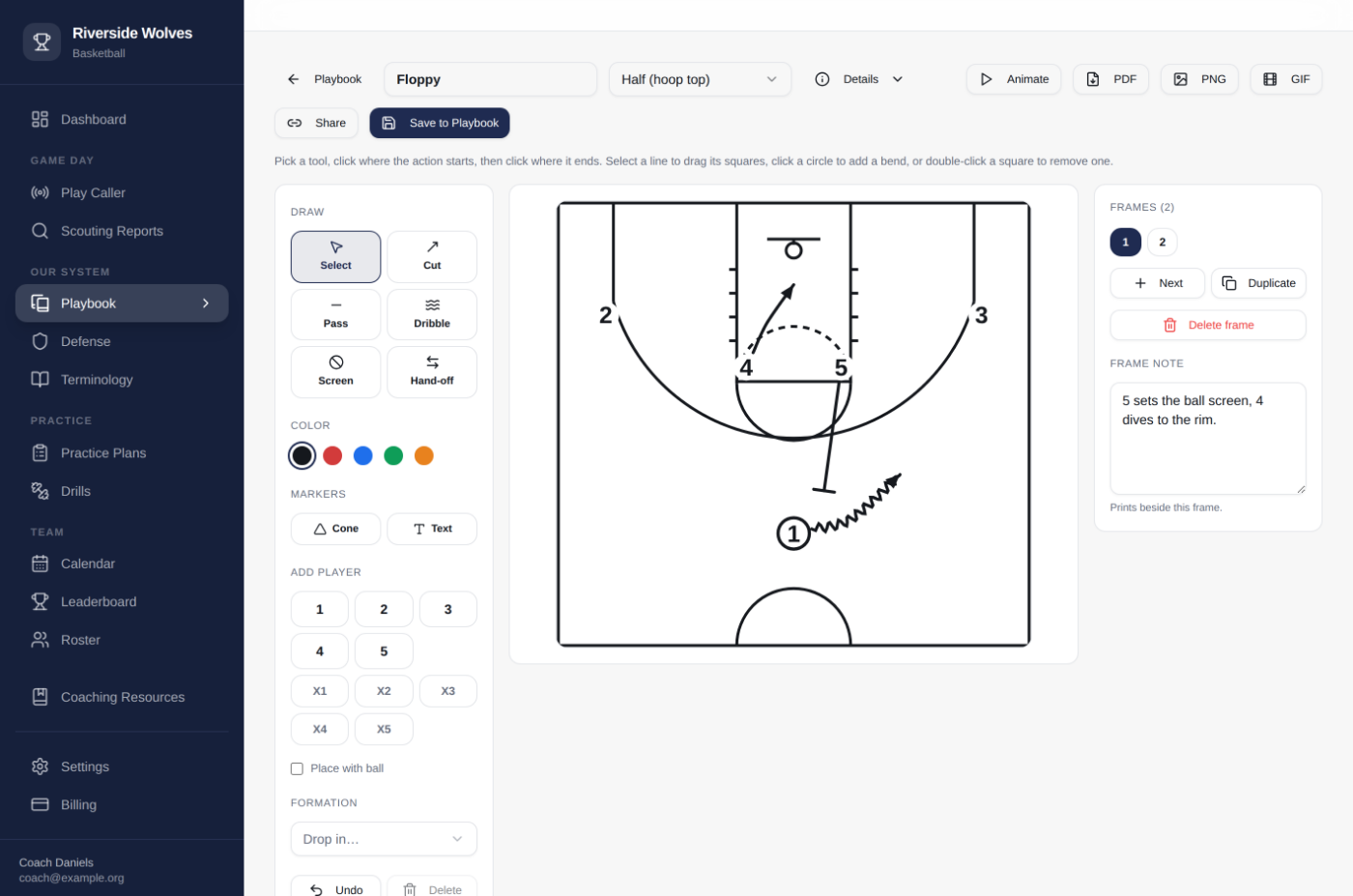
The play designer. Two frames of a ball-screen set, drawn in about a minute.
Where you'll feel it first
Start with the work that eats your week
There is a lot in here, and you'll find your own favorite corner of it. But this is where your hours actually go every week of the season, so this is where the tools go deepest, and where you'll notice the difference the first Sunday you use it.
Draw a set about as fast as you can explain it
Click where the cut starts, click where it ends. Screens, dribbles, passes and hand-offs are one key each, and every line bends. Add a frame and all five are already where the last one left them, so the second and third take seconds. Frames are beats: the entry, the screen, the counter. Run them and a kid sees what happens after what, which is the part he gets wrong.
- Frames show the order things happen in, not just where they end up
- Exports to PDF six frames a page, or a GIF for the group chat
- Share one play by link. The coach on the other end needs no account.
The roster fills itself in, and every report looks the same
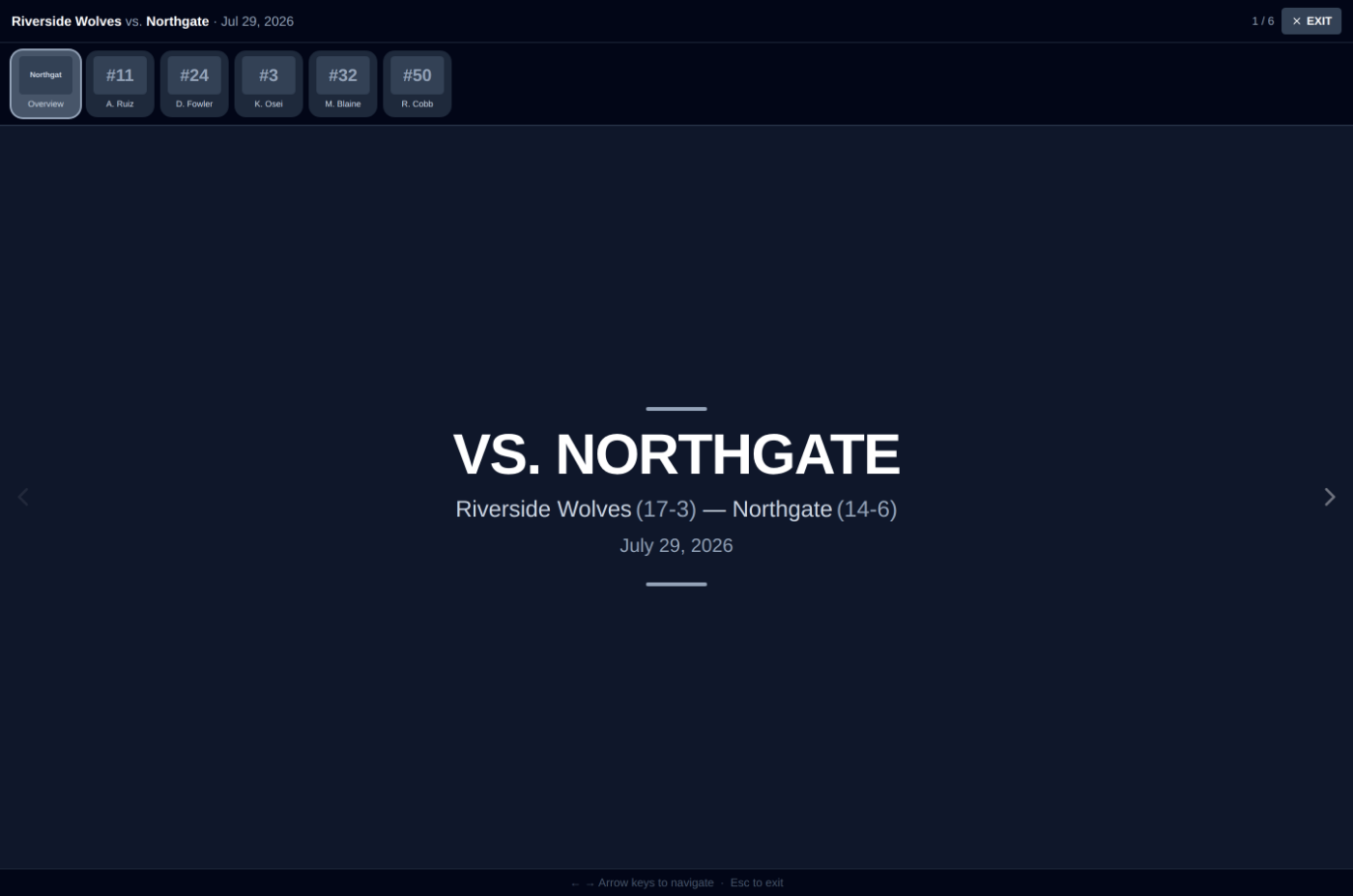
Paste the opponent's MaxPreps stats page, or drop in the print PDF, and their roster arrives with numbers, positions and scoring already in it. You spend your time on the part only you can do: tendencies, who to foul, the three keys you actually want said in the locker room. Every opponent comes out in the same layout, so your staff always knows where to look.
- Pull the roster and stats from MaxPreps instead of typing them in
- Present it full screen, player by player, on the locker-room TV
- Prints for the bench, and goes to your players when you say so
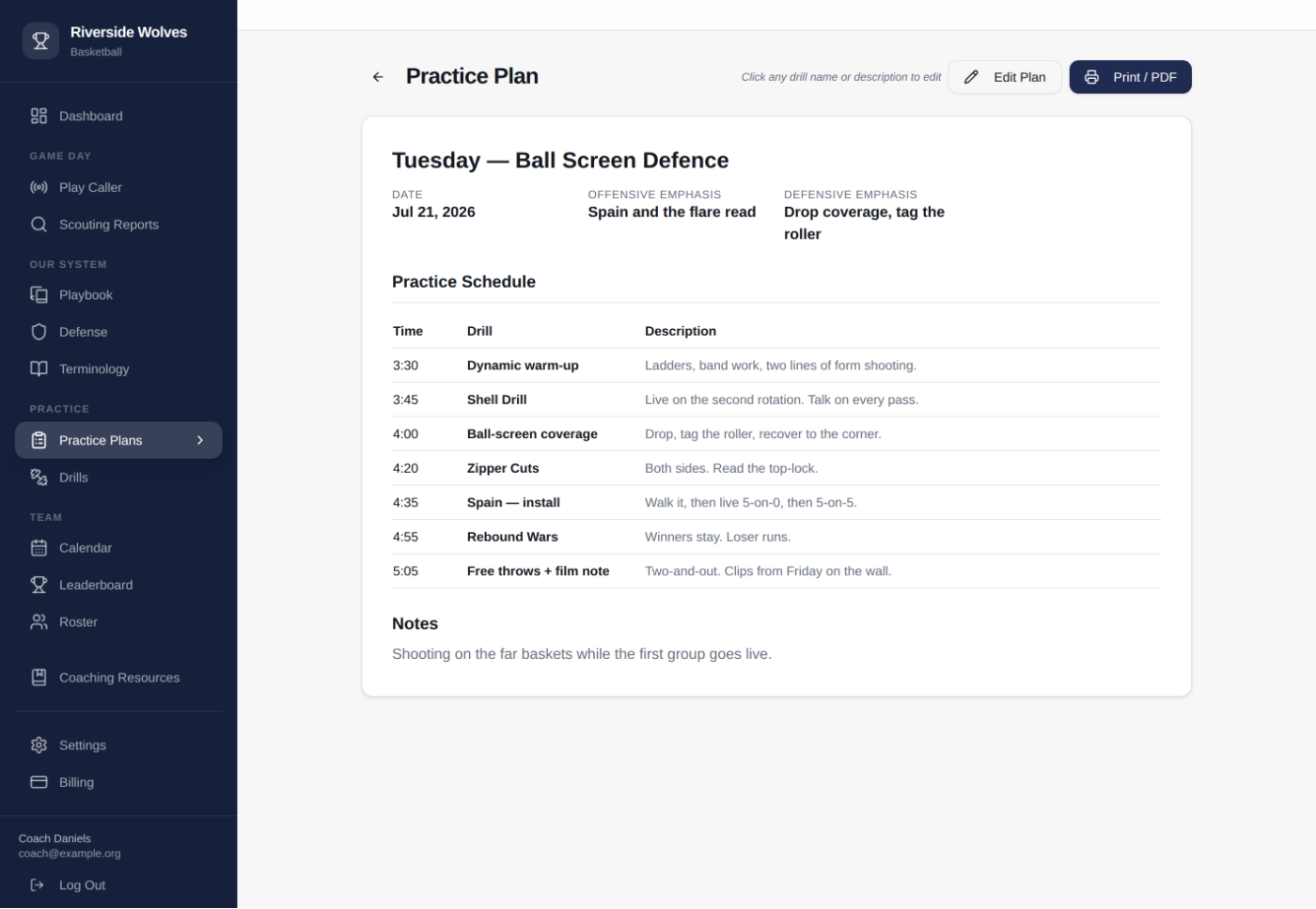
Build tomorrow's plan out of the drills you already run
Your drills live in one library instead of being retyped into every plan. Pull the ones you want, set the times, write the emphasis for the day, and print it or run it off your phone from the floor. Next week, duplicate it and change the three things that changed.
- Drills live in one library instead of in every plan
- Prints to a single sheet for the clipboard
- Coaches only. No player ever sees tomorrow's plan.
Give your whole staff a job on game night
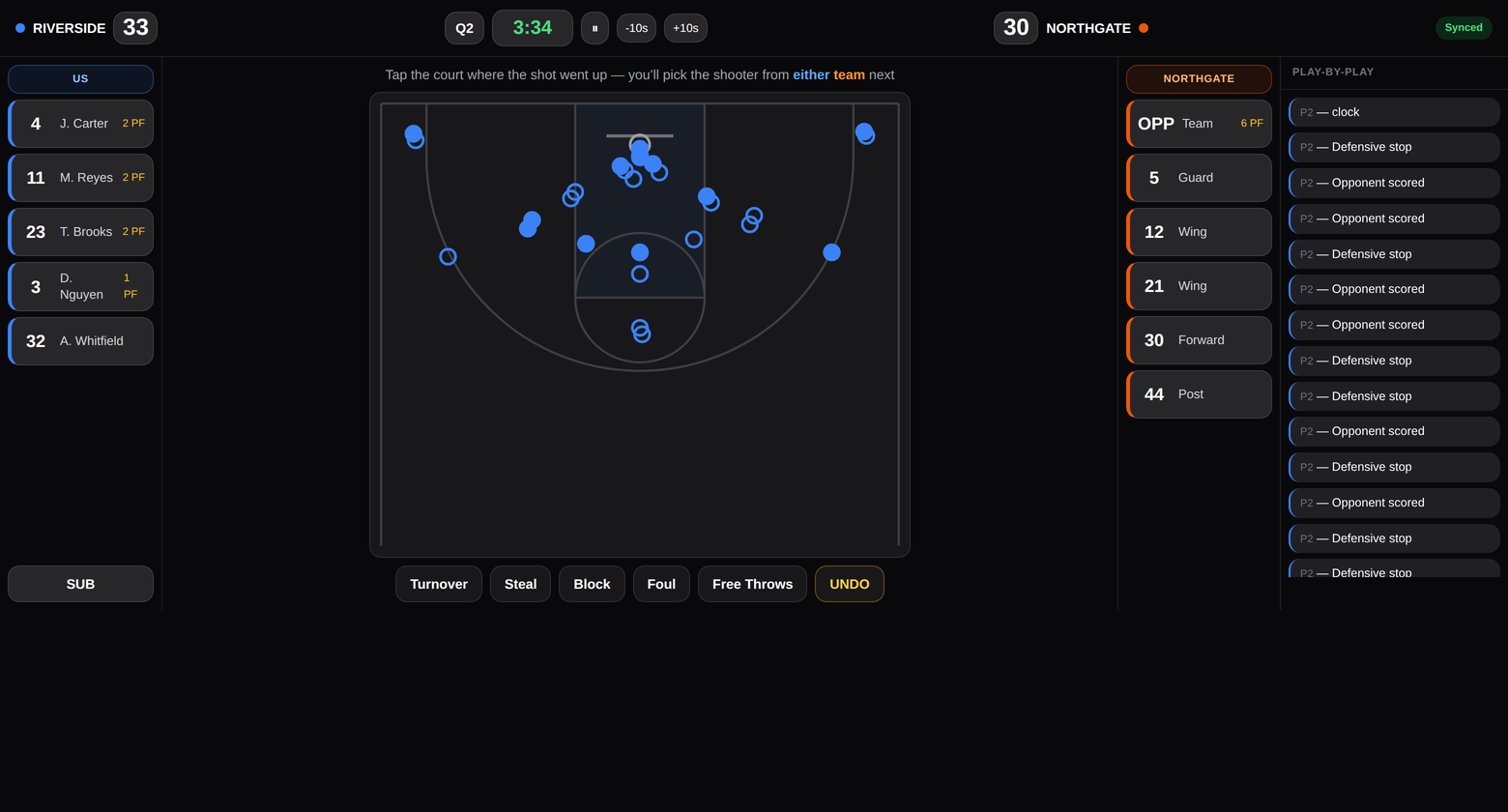
Anyone can keep a box score. This hands the rest of the job to your staff: a manager counts paint touches, a parent taps ball reversals, an assistant taps which set you ran. Each on their own phone, each joining by scanning a code, with no account to create. It all lands in one game record, and because the set buttons are pulled from your own playbook, by February you know what every play you run is actually worth.
- Trackers join by QR code. No accounts, no App Store, no setup.
- Keeps working when the gym wifi does not, and syncs when it comes back
- One scorekeeper covers both teams, with shot charts and a real clock
Ninety seconds into halftime
Walk into the locker room already knowing
Every station your staff ran shows up on one screen, at every break and again at the final buzzer. Which sets are producing and which are not. Whether moving the ball is actually paying tonight. Whether you are getting paint touches. Who is in foul trouble. It is the halftime you would have if you had a video coordinator.
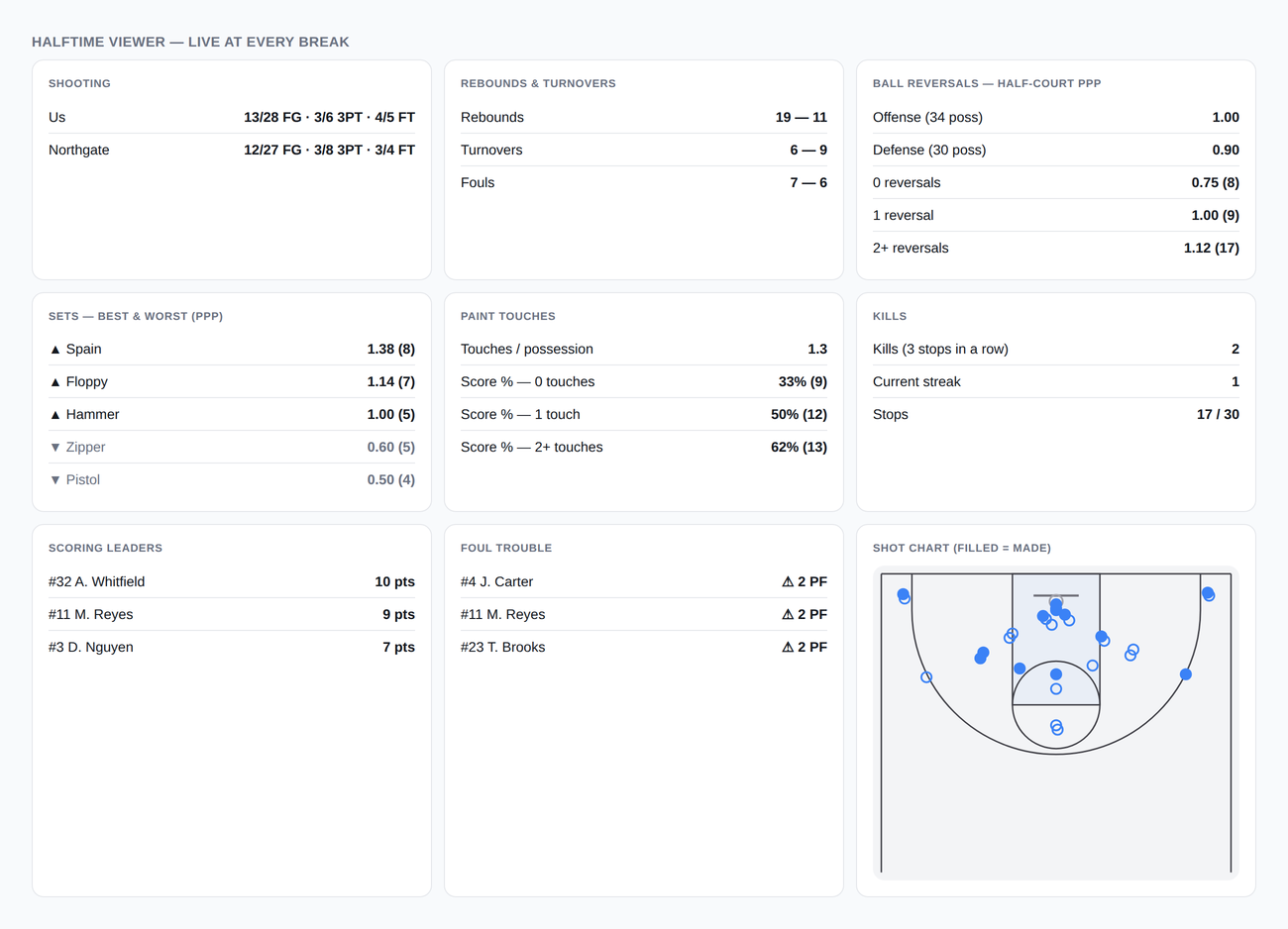
Cards only appear for the stations someone actually staffed. Run the box score alone on a short-handed night and you still get a clean half.
And it keeps going
Everything else your program runs on
Your playbook, your language, your defense, the schedule, the roster, the offseason, the clinic notes you keep meaning to file. It's in one app where the parts know about each other. The drill on tomorrow's practice plan and the drill in your library are the same record, and so are the set in your playbook and the one on the board Friday night. Change it once and it's changed everywhere your staff and players look.
One playbook, current, on every phone
Every set you have drawn, grouped by what it beats, with the film attached. Retire one with a switch and it disappears from your players' view without deleting the work.
Nobody asks what a word means twice
Every action, concept and alignment your program uses, written down once. The transfer who showed up in November learns your language from it instead of from context.
Your defense written down like your offense
Pack line, the press, what you do out of a made free throw, with the rules inside each one and in the same place as the sets. Your defensive identity stops living only in what you yell in practice.
Your staff sees everything, your players see what you choose
One link gets people onto the roster. Assistants get the full toolbox. Players get the playbook, the language and the calendar. Never the scout or the practice plan.
Send a play to a coach who has no account
Share one set by link and it opens for them, animation and all. Good for the middle-school coach installing your offense, and for the friend you want an opinion from.
The clinic notes you keep meaning to file
Articles, clips, clinic takeaways and books in one library your whole staff can read, instead of in your bookmarks and four different notes apps.
One schedule everybody is looking at
Games, practices, lifts and team meals in one calendar your players and staff both see, instead of in a group chat that scrolls away.
Find out who actually shot on Sunday
Players log shots made, conditioning and mile times themselves. The leaderboard updates the second they do, and the summer becomes a competition without you chasing anyone.
It looks like your program, not like software
Your name, your colors and your logo through the whole thing, on the playbook your players open and on the board you call plays off Friday night.
Bring what you already have
Download the template, paste in the spreadsheet you already keep, and your plays, terms, drills and schemes arrive organized. Nothing starts from an empty page.
Still works on paper
Print the practice plan. Print the scout. Print the playbook six frames to a page. The binder was never the enemy. Retyping it every year was.
It's all still here in August
Next season starts from this season instead of from a folder you have to reassemble. Duplicate last year's install schedule, keep the sets that worked, and the language is already written.
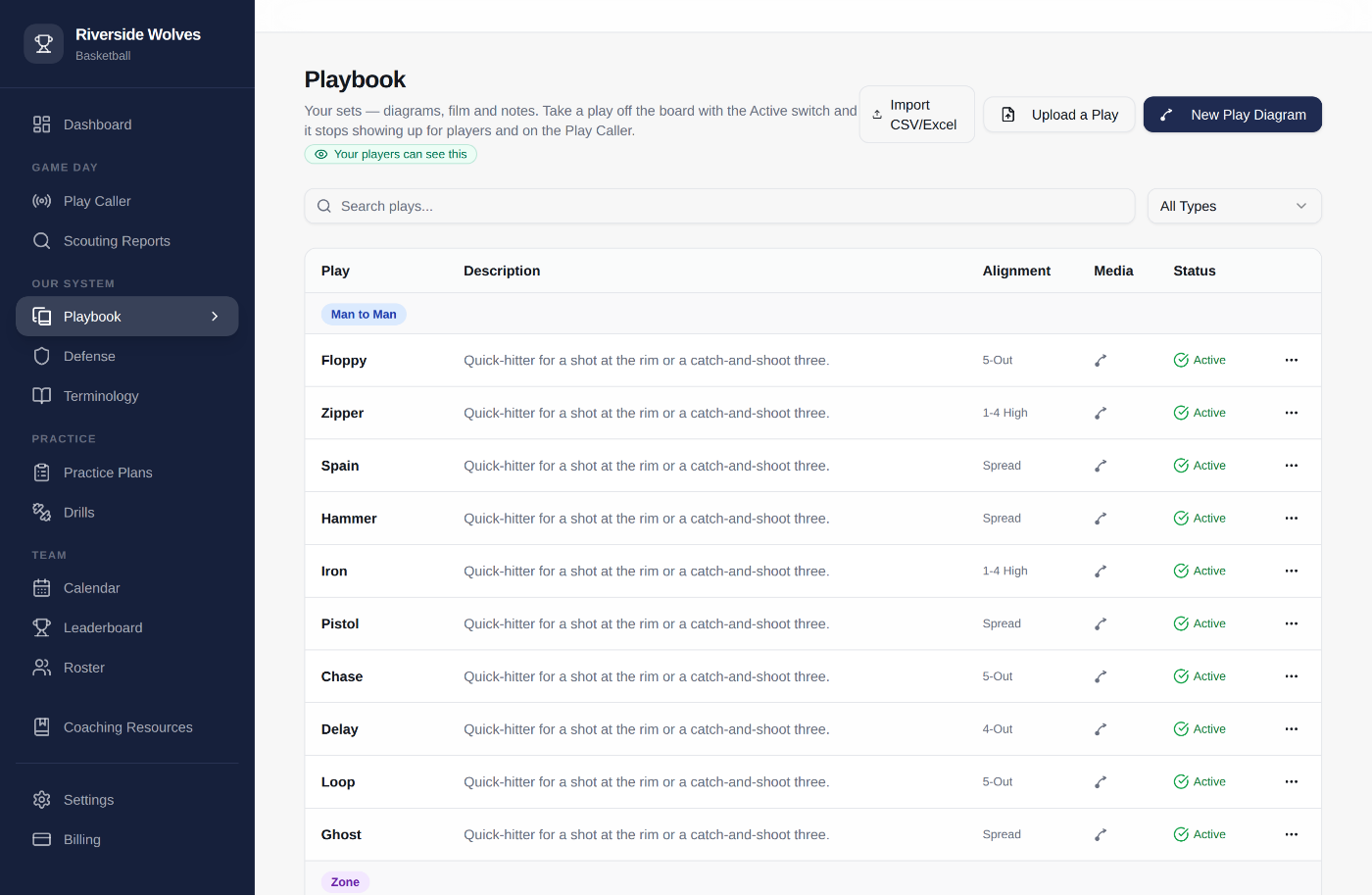
Everything in one list you can actually search
Every set you've drawn, grouped by what it beats, with the diagram, the film and the alignment on every row. Retire one with a switch and it disappears from your players' view without deleting the work.
Call it off the iPad
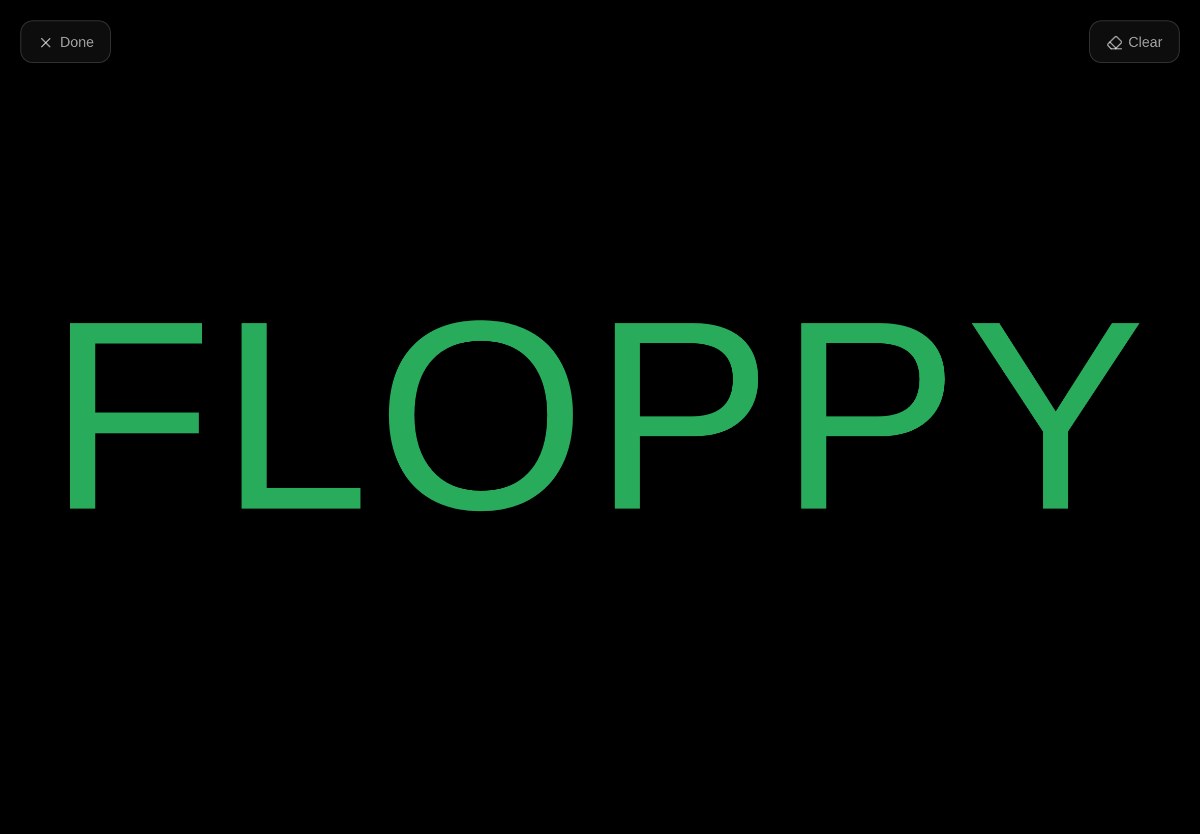
Your plays are already in here, so they're already callable. Tap one and its name fills the screen in your colors, big enough for the far block in a gym too loud to shout in, and meaningless to a bench that has spent two halves reading your hands.
- Works with no connection. The plays live on the device.
- Reads from your playbook, so a play you retire stops being callable
For your players
Give them a reason to open it every day
Players join from one link and get their own view of the program. Study the sets, learn the language, log today's work before somebody passes them on the board.
- Playbook and terminology that are always current
- Log shots, conditioning and mile times in ten seconds
- A leaderboard that updates the moment they do
- No feed, no DMs, nothing to moderate
Offseason Leaderboard, this week
Shots made, logged by the players themselves.
Pricing
What it costs
Thirty days free, no card. Annual, because the useful part of this doesn't stop in March. The offseason log runs all summer, next season's install schedule gets built in June, and the playbook you finish in April is the one your November transfer learns from. If a plan lapses your work stays readable; nothing you built ever gets hidden from you.
Coach
For the coach who wants their own material in one place
or $12/month
Start free- The play designer, with frames, print and export
- Playbook, terminology and defensive schemes
- Practice plans and a drills library
- Coaching resources, and CSV or Excel import
- Scouting reports
- Play Caller and Live Stats
- Team calendar, staff and player accounts
Program
For your whole program, staff and players
or $35/month
Start free- Everything in Coach
- Scouting reports, with the opponent roster imported for you
- Play Caller on the bench
- Live Stats: every station, the halftime viewer, season analytics
- Team calendar, assistant coaches, unlimited players
- Offseason log and leaderboard
- Varsity, JV and freshman under one program
Several teams at your school?
One Program plan covers a whole program. Varsity, JV and freshman share the playbook, the terminology and the drill library, and every level keeps its own roster, schedule and stats. Boys and girls are two programs, run by two staffs, so they are two plans.
An athletic department putting several programs on this at once should be a conversation rather than a checkout page. There is a discount, and it is worth ten minutes to get the setup right the first time.
Talk to us about your schoolPurchase orders and invoicing are fine.
🏀 Founding Coach
$199 a year for your first two seasons instead of $349, your playbook imported for you, and a direct line to the coach building it. What you tell me is broken gets fixed.
Claim a founding spotOpen while I'm building this with the first group of coaches.
Questions
The things coaches ask first
Does this replace Hudl?
No, and it isn't trying to. Hudl is your film. ProgramHQ is everything around it: the playbook, the language, the practice plans, the scout, the offseason. Paste Hudl or YouTube links straight into plays and terms so the film sits one click away from the diagram.
Do I have to redraw my playbook?
No. Upload a CSV or Excel file and your plays, terminology and drills come in organized, and you can attach an image or PDF of a diagram you already have instead of drawing it. Draw the new ones as you install them. Founding coaches get white-glove import. Send whatever you have and we set it up.
What exactly can my players see?
The playbook, the terminology, the defensive schemes, the calendar, their own offseason log and the leaderboard. Never the scouting reports or the practice plans unless you deliberately share one. Every page in the app tells you which it is. No feed, no messaging, minimal data on minors.
Doesn't holding up a play name tell the other bench what's coming?
Only if they know your language, and that is the point. The board shows your name for the set, not a description of it. A staff that has spent two halves decoding your hand signals gets nothing from a word they've never heard. Give a set a name only your program uses and it's a code the other bench can watch all night without cracking.
What happens when the gym wifi is bad?
This got designed around bad gym wifi rather than in spite of it. Every Live Stats tap is saved on the device first and pushed when a connection exists, so a tracker can lose signal for a whole quarter and lose nothing. The screen even tells them how many taps are waiting. The Play Caller keeps your plays on the device the same way. Nothing on game night depends on the building's network.
Do I need iPads, or special equipment, to track a game?
No. Whatever phones your staff already carry will do. The scorekeeper is happiest on a tablet because there is more to tap, but the specialty stations are one tap per possession and work fine on a phone. Trackers scan a code and start. No accounts, no app to install, no App Store approval standing between you and tip-off.
Does this replace iScore or the stat app we use now?
For most programs, yes. The box score, the clock, shot charts, minutes and plus/minus are all here. The part no consumer stat app does is the rest of your staff: the sets, ball reversals, paint touches and kills, tracked in parallel and joined onto the same possessions. And because the set buttons come from the playbook you already built here, your game data connects to your system instead of sitting in someone else's app.
What if I coach football, volleyball or baseball?
Basketball first. That is where every detail is tuned, and the play designer draws a basketball court. Everything else works today, and sport is a setting rather than an assumption. Founding coaches vote on what gets tuned next.
Can I just pay for the season and cancel in March?
You can pay monthly and stop whenever you like. Nothing gets held hostage, and your work stays readable either way. But most of what compounds here happens between seasons: the offseason log and leaderboard run all summer, next year's install schedule gets built in June, and the playbook and language you tidy up in April are what a November transfer learns from. Annual is cheaper and matches how the thing is actually meant to be used.
How do JV and freshman fit in?
They're levels inside your program, not separate accounts. You set up varsity, JV and freshman once, then file each game under a level and mark which players play where. The playbook, the terminology and the drill library are shared, which is the whole point of a program running one system, while rosters, schedules and stats stay separate per level. Your stats page has a level filter, so you can look at JV alone or at everything at once, and a kid who swings between levels is one player in both places instead of two records that drift apart.
Can my school pay by purchase order?
Yes. Annual Program plans can be invoiced for PO-based purchasing, and an athletic department buying for several programs at once should get in touch, because there is a discount for that.
Get your Sunday night back
Thirty days free. Import the playbook you already have, draw one new set, and build next week's practice plan out of drills you already run.
Start your free trial